CorelDRAW Graphics Suite March 2026 release
CorelDRAW and Corel PHOTO-PAINT offer a range of AI workflows that you can use to spark new ideas, generate design variations, and bring your concepts to life quickly.
You can create an image from scratch or modify an existing one. Use a text prompt to tailor the generated image by outlining its content, setting, details and more, or let the application inspire you. Explore and take advantage of a variety of AI models, so you’re always working with the model that best suits your style and desired level of detail.
You can define the atmosphere of the images by choosing from eight color palettes, from full-spectrum and grayscale to neon or retro. Give the output a distinctive aesthetic by choosing an artistic style, including photorealistic, pop art, watercolor, and more.
The AI Generate inspector acts as the hub for all AI workflows. It includes two workflow-specific tabs and one that offers information about AI-related resources. The Create Image tab is designed for starting from scratch, beginning with a text prompt and the option of also using an image for guidance. The Remix Image tab starts with an image you want to modify and manipulates it based on your prompt, so you can mock up a design in any scenario you can imagine. On both tabs, AI models are suggested that best suit what you want to produce, and you can set the number of images to generate.
The Information tab provides a convenient place to manage and access AI-related resources. It includes sections for legal and compliance info, linking to the Corel generative AI policy and Privacy statement, which explains how your data is handled; Help and learning, offering guidance on generating AI images; and AI credits, where you can view your balance, purchase credits, and access your account.
AI credits determine how many AI images you can generate. There are three categories of credits: recurring for subscription users, which are allocated monthly and reset at the start of the month; non-recurring for perpetual users, which never expire; and trial, which are usable for the duration of a trial period. Your credit balance is shared across all your active Corel products and licenses.
Each time you generate AI images, a specific number of credits are consumed based on the AI model you choose and the number of images you want to create. Before each AI generation, the number of credits required and your credit balance are displayed in the AI Generate inspector. And anytime you run out of credits, you can always purchase more.
For more information, see Create AI images.
New! AI-powered background removal
Accelerate editing with new AI-powered background removal. This feature selects the subject or area of focus in an image and extracts the background in a click. You can then place the results in a new setting or output your subject with a transparent backdrop. For more information, see Remove background from bitmaps.
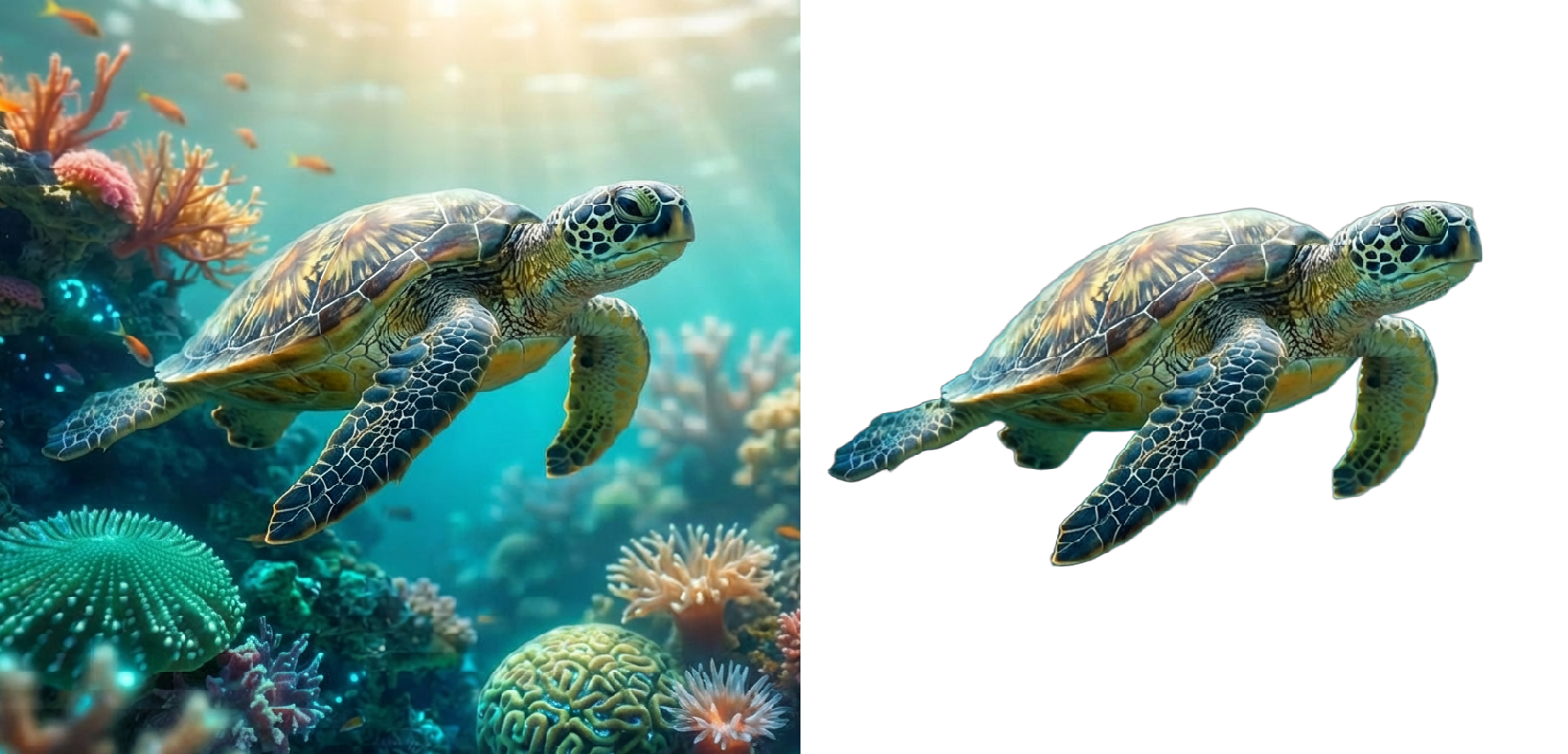
Removing the background from a photo
A new AI-powered feature in Corel PHOTO-PAINT lets you precisely create a mask or clip mask from a subject in an image. In just a few clicks, define an editable area or create a clip mask faster and more accurately than ever before.
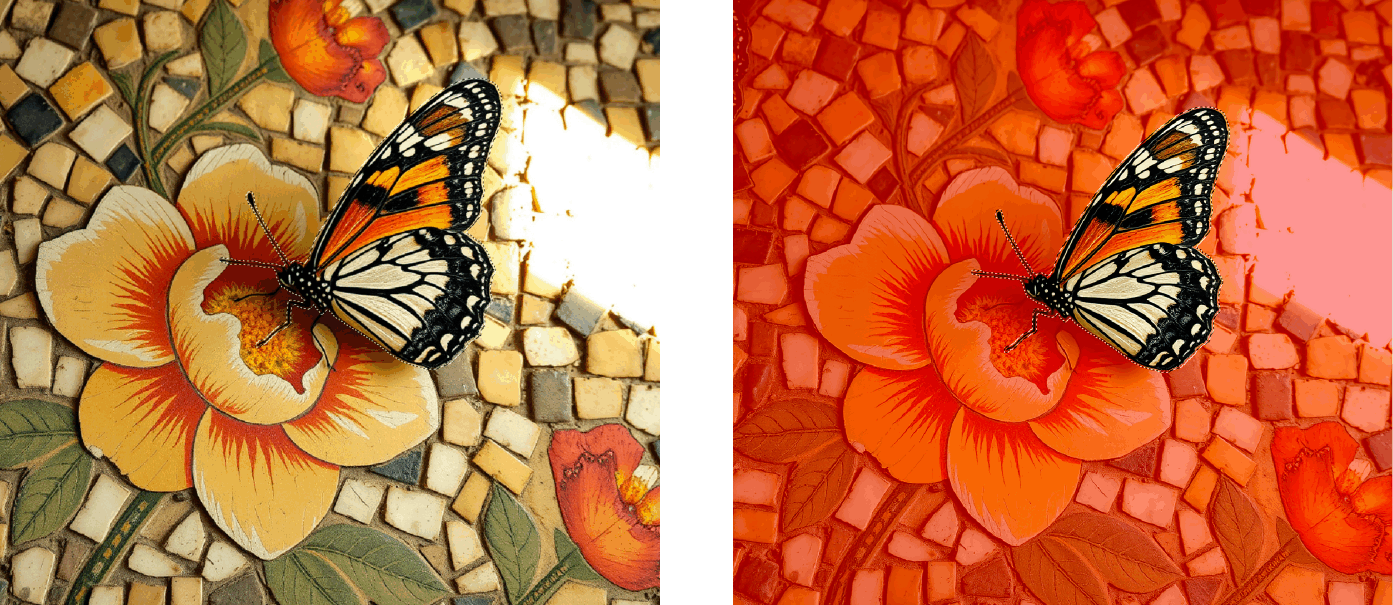
An editable area from the subject of an image.
Launch time has been reduced, so you can get to work faster than ever. Whether you're starting the app from scratch or returning to a session after a break, you'll notice a startup that's three times faster.
CorelDRAW Graphics Suite 2026 delivers stability enhancements and workflow improvements in many areas, including smarter page and export settings, and new zoom controls that simplify text editing. In addition, half of all crashes reported since version 2023 have been fixed, allowing you to work with greater confidence and uninterrupted focus.
New options let you control how the app handles documents that use different installed font versions. Minor version changes can be substituted automatically to reduce interruptions, while significant differences will require confirmation. For more information, see Substitute fonts.
New! 200 additional templates*
Simplify your design process with 200 new templates, giving you a fresh starting point for social, print, and branding projects. Get inspired and kickstart designs with presets for everything from journal covers and greeting cards for a variety of occasions to CD covers, and much more.
Subscription users can choose from an even wider array of Painterly brushes. Five amazing new Painterly brush packs let you expand your creative output in exciting new ways. A total of 50 new Painterly brush styles from a range of categories — from Pens, Textiles and Dots and Dashes to Organic and Rust — give you countless ways to develop your designs.
Free to subscription users, CorelDRAW Web continues to evolve and deliver more power and flexibility when you’re designing on the go. A modernized UI and redesigned Home screen deliver a streamlined web-app experience so you can stay focused and efficient. You'll notice improved launch times, faster saving, and better access to files you have recently worked on. And you can help us tailor CorelDRAW Web to your needs by taking a quick in-app survey.