Start with Quick AI Generate
In CorelDRAW, you can start creating with AI Generate in two ways: try Quick AI Generate for a streamlined experience, or open the full AI Generate docker for more control as you create and refine content within a document.
Quick AI Generate provides a simplified interface with task-based tiles and a focused set of controls.
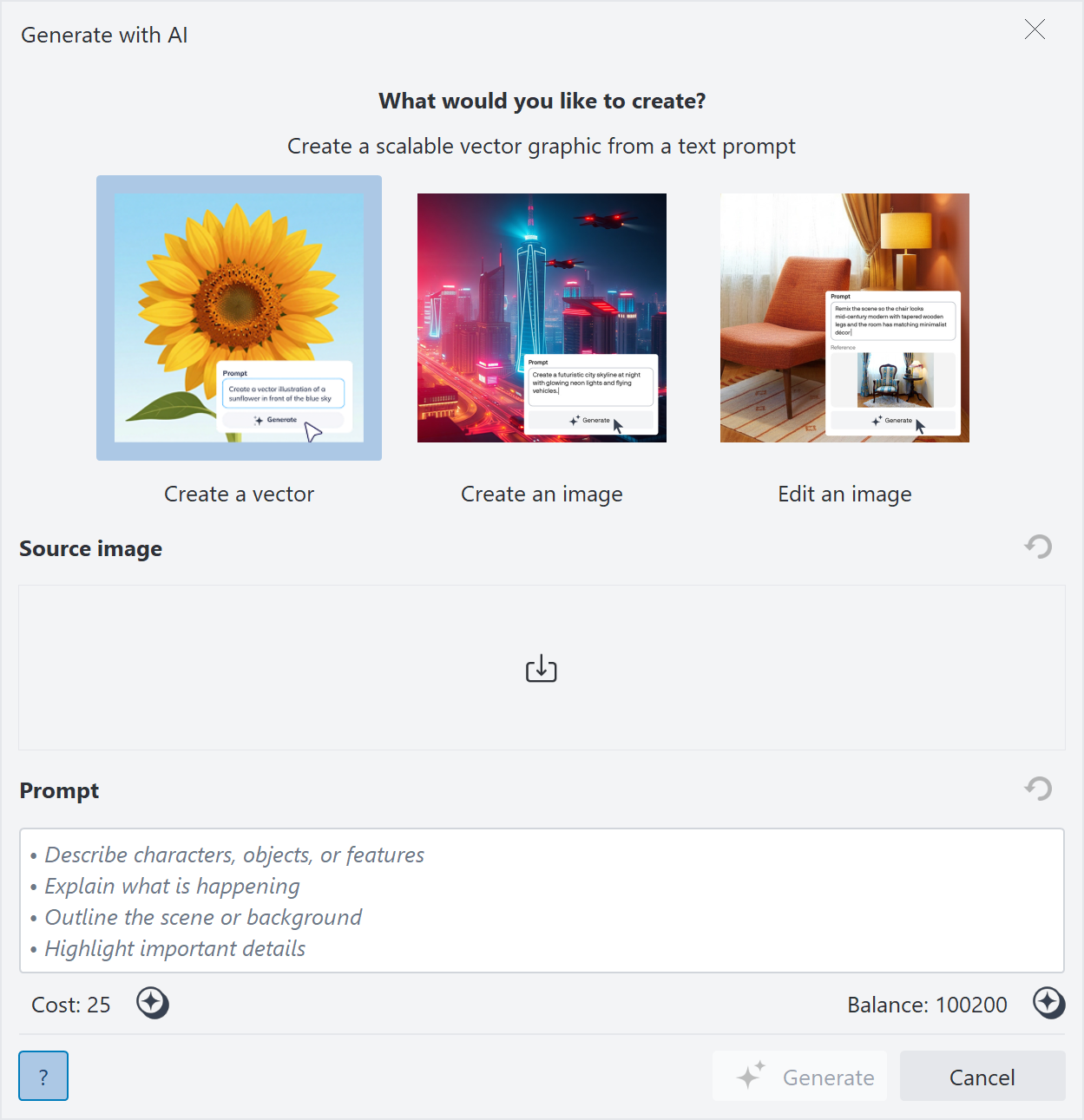
Select a tile to begin: Create a vector, Create an image, and Edit an image
After you select a task, type a prompt, and generate content right away. Quick AI Generate automatically applies settings so you can create output faster with fewer setup steps. When the result is ready, it opens in a new document, and the full AI Generate docker becomes available so you can continue refining, iterating, and working with your content.
Use Quick AI Generate to explore ideas, create first drafts, or generate one-off visuals without setting advanced options.
Use the full AI Generate docker when you want more control over the process. Refine results by fine-tuning prompts and exploring variations, experiment with generation settings such as styles and models, use project content as a reference, and create graphics that fit into an existing document. To get familiar with the AI Generate docker, see Explore the AI Generate docker.
To use Quick AI Generate


 , navigate to the folder that contains the file, click the filename, and click
Quick AI Generate automatically selects generation settings. For more control over these settings, use the full AI Generate docker.
Each generation consumes AI credits. For more information, see Manage AI credits.

You can also access Quick AI Generate from the Welcome screen.